Best Kindle From Amazon: 5 E-Readers Compared
As an Amazon Associate we earn from qualifying purchases.
Amazon now sells five distinct Kindles at once, and on paper they can look almost interchangeable. The truth is they are tuned for very different readers: the pocket-friendly commuter, the bath-and-beach bookworm, the person who wants their book covers in color, and the note-taker who wants to write directly on the page. This roundup separates them by reading style and budget rather than hype.
To build this comparison we pulled real specifications and hands-on impressions from outlets such as Tom's Guide, Android Authority, TechRadar, Pocket-lint, Liliputing, Good e-Reader and Amazon's own product pages. Where a claim comes from the manufacturer, we say so; where reviewers push back, we include that too. The goal is a clear match between your habits and the right device, then a straightforward path to check it on Amazon.
Key Facts
- The 2024 base Kindle keeps a 6-inch 300 ppi display with 16GB storage and USB-C, and reviewers note it is essentially the 2022 model refreshed, per Android Authority.
- The Kindle Paperwhite (2024) uses a 7-inch 300 ppi display with an adjustable warm light and a waterproof, USB-C build, according to Tom's Guide.
- The Paperwhite Signature Edition adds 32GB storage, an auto-adjusting front light and wireless charging, per Amazon's listing.
- The Kindle Colorsoft Signature Edition is Amazon's first color Kindle, using an E Ink Kaleido 3 panel rated at 300 ppi in black-and-white and 150 ppi in color, per Good e-Reader.
- The Kindle Scribe (2024) has a 10.2-inch 300 ppi display, the largest in the line, and ships with a Premium Pen plus Active Canvas in-book writing, per Tom's Guide and Amazon.
- The base Kindle lacks a warm light and water resistance, so bath, pool and bedtime readers are steered toward the Paperwhite tier, per TechRadar and Tom's Guide.
| # | Product | Best For | Rating | Price |
|---|---|---|---|---|
| 1 | Kindle | Best overall value | ★★★★★ | Check price |
| 2 | Kindle Paperwhite | Best all-rounder | ★★★★★ | Check price |
| 3 | Kindle Paperwhite Signature Edition | Best premium reader | ★★★★½ | Check price |
| 4 | Kindle Colorsoft Signature Edition | Best for color | ★★★★½ | Check price |
| 5 | Kindle Scribe (redesigned display) | Best for writing | ★★★★½ | Check price |
#1 Kindle
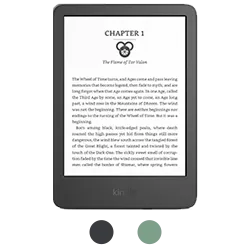
The entry-level Kindle is the one most people should look at first, and it earns the top spot here for a simple reason: it delivers the core Kindle experience for the lowest outlay. Reviewers describe it as compact and genuinely pocketable. Android Authority reports it carries a 6-inch display at 1,448 x 1,072 resolution and 300 ppi, 16GB of storage, a 1,040mAh battery and a USB-C port, which is the same core spec sheet as the 2022 model with new software, better contrast and higher brightness on top.
That continuity is the honest headline. Android Authority is blunt that it is physically identical to the 2022 iteration, so if you already own a recent Kindle this is not a leap. But if you are coming from a phone, a much older e-reader, or no e-reader at all, it is positioned as the cheapest door into the ecosystem. Tom's Guide also singles it out as a surprisingly strong pick for manga thanks to a sharp small screen. For a first Kindle on a tight budget, this is the value anchor of the range.
Pros
- Lowest entry price in the Kindle lineup
- Compact 6-inch, 300 ppi screen that is easy to hold one-handed
- 16GB storage and USB-C charging, per Android Authority
- Highlighted by Tom's Guide as great for manga
Cons
- Not for night or bath readers: TechRadar notes it has no amber/warm LEDs and it is not waterproof
- Not for upgraders: Android Authority says it is essentially the 2022 model refreshed
- Not for heavy-library users who want the largest storage or a bigger page
#2 Kindle Paperwhite
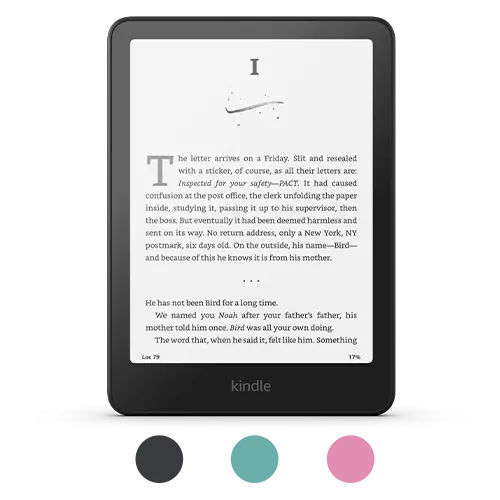
If the base Kindle is the value pick, the Paperwhite is the one most reviewers point to as the sweet spot. Tom's Guide lists a 7-inch 300 ppi display, 16GB of storage, an adjustable warm light, a waterproof build, USB-C and a rated battery life of up to 12 weeks. That combination of a bigger page, warm lighting for night reading and water resistance is exactly what the base model leaves out.
Amazon markets this generation as its faster Paperwhite, and Tom's Guide frames it as about as good as a mainstream e-reader gets, praising the bright display and comfortable, lightweight design. The trade-offs it flags are a higher price than the previous Paperwhite and a power-button placement some readers dislike. For most people choosing one Kindle to live with for years, this is the model that balances screen size, comfort and durability without stepping into premium territory.
Pros
- Larger 7-inch, 300 ppi display than the base Kindle, per Tom's Guide
- Adjustable warm light for comfortable night reading
- Waterproof build for bath, pool and beach
- Rated up to 12 weeks of battery life, per Tom's Guide
Cons
- Not for bargain hunters: Tom's Guide notes a price increase over the prior generation
- Not for those who want wireless charging or the most storage, which are reserved for the Signature Edition
- Power-button location may annoy some readers, per Tom's Guide
#3 Kindle Paperwhite Signature Edition
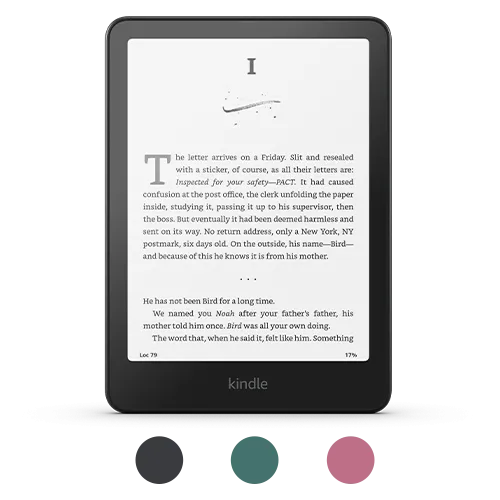
The Signature Edition is the Paperwhite for readers who want the extras without changing screen technology. Per Amazon's listing, it keeps the 7-inch Paperwhite display but doubles storage to 32GB and adds two convenience features the standard model lacks: an auto-adjusting front light that responds to your surroundings and Qi wireless charging, alongside weeks of rated battery life.
Think of it as the same reliable reading canvas with the friction removed. You are not buying a sharper or larger page here; you are paying for the auto-adjusting light and the ability to top up on a wireless pad instead of hunting for a cable, plus more room for large libraries, comics or audiobooks. It is positioned for the reader who already knows they love the Paperwhite and simply wants the fully loaded version. If auto-brightness and wireless charging do not excite you, the standard Paperwhite covers the essentials for less.
Pros
- 32GB storage, double the standard Paperwhite, per Amazon
- Auto-adjusting front light that reacts to ambient light
- Qi wireless charging support
- Same waterproof, 7-inch reading experience as the Paperwhite
Cons
- Not for value seekers: it commands a premium over the standard Paperwhite for convenience features
- Not a display upgrade: the screen matches the regular Paperwhite, per Amazon
- Overkill if you never fill 16GB or do not care about wireless charging
#4 Kindle Colorsoft Signature Edition
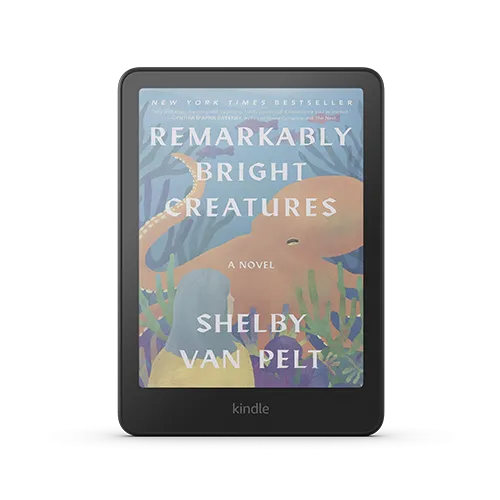
The Colorsoft Signature Edition is the headline act of the lineup because it is, per About Amazon, Amazon's first color Kindle. Good e-Reader reports it uses an E Ink Kaleido 3 color panel rated at 300 ppi for black-and-white text and 150 ppi for color content, capable of displaying around 4,000 colors, on a 7-inch screen. Amazon adds a waterproof design, USB-C and wireless charging, an auto-adjusting front light and up to eight weeks of rated battery life.
This is the pick for readers whose libraries lean visual: book covers, comics, graphic novels, cookbooks and children's titles, plus color-coded highlights in yellow, orange, blue or pink. The honest caveat is baked into how color e-ink works today: color content renders at a lower 150 ppi than the crisp 300 ppi text, so this is a lifestyle-and-visuals upgrade rather than a sharpness upgrade for plain novels. If you read mostly black text on white pages, the money is better spent on a Paperwhite tier.
Pros
- Amazon's first color Kindle, per About Amazon
- Kaleido 3 panel showing about 4,000 colors, per Good e-Reader
- Waterproof with wireless charging and auto-adjusting light, per Amazon
- Rated up to eight weeks of battery life
Cons
- Not for pure text readers: color renders at 150 ppi versus 300 ppi for black-and-white, per Good e-Reader
- Most expensive reading-focused Kindle here, so color carries a clear premium
- Overkill for anyone who never reads comics, magazines or illustrated books
#5 Kindle Scribe (redesigned display)
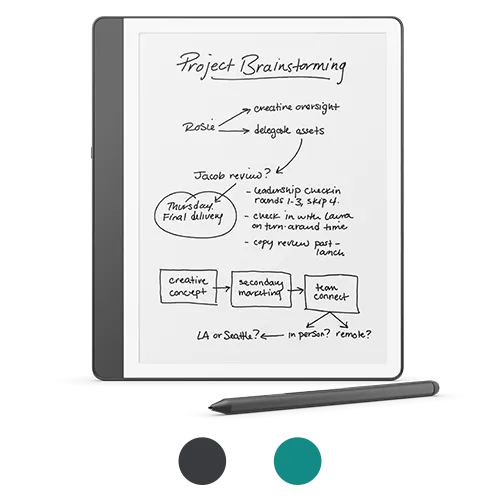
The Kindle Scribe is a different category of device: an e-reader you can write on. Tom's Guide reports a 10.2-inch 300 ppi display, the largest screen in the Kindle family, with 16GB of storage, an adjustable warm light and up to 12 weeks of rated battery life. The 2024 version brings a redesigned display, which Good e-Reader describes as having uniform white borders, a screen flush with the bezel under glass, and 35 white and amber LEDs that can adjust automatically.
Amazon positions the writing experience around the included Premium Pen, a soft-tip eraser, and Active Canvas, which lets you add handwritten notes directly inside books rather than only in a separate notebook. Android Central notes that in-book writing via Active Canvas addresses a major complaint about the original Scribe. There is also a built-in, AI-powered notebook feature Amazon says can summarize pages into bullet points in a handwritten-style font. The catch, per Tom's Guide, is the highest price in the lineup and the absence of waterproofing. This is for note-takers, students and professionals, not for someone who only wants to read.
Pros
- Largest 10.2-inch, 300 ppi Kindle display, per Tom's Guide
- Includes the Premium Pen and Active Canvas in-book writing
- Redesigned flush display with 35 auto-adjusting white/amber LEDs, per Good e-Reader
- Built-in AI notebook summarization, per Amazon
Cons
- Not for pure readers: it is the priciest option and larger to hold, per Tom's Guide
- Not for bath or poolside use: Tom's Guide notes it lacks waterproofing
- Its writing focus is wasted if you never annotate or take notes
How to Choose the Right Kindle
The five Kindles overlap on purpose, so match the device to how and where you actually read rather than to the longest spec list.
- Budget and size: The base Kindle is the cheapest entry and the most pocketable at 6 inches, per Android Authority. If price and portability lead your decision, start here.
- Comfort and durability: Want a warm light for bedtime and a waterproof body for the bath or beach? Tom's Guide confirms those live in the Paperwhite tier, not the base model, and are the main reasons to step up.
- Convenience extras: Auto-adjusting brightness, wireless charging and 32GB of storage are what separate the Signature Edition from the standard Paperwhite, per Amazon. Pick it only if those specific features matter to you.
- Color content: Choose the Colorsoft Signature Edition if you read comics, magazines or illustrated books, remembering that color runs at 150 ppi versus 300 ppi text, per Good e-Reader.
- Writing and notes: The Scribe is the only one with a pen and Active Canvas in-book writing, per Amazon and Android Central, on the largest 10.2-inch screen. It is a reader plus a notebook.
Prices move often across the lineup, so once you have matched a model to your reading style, check the current price on Amazon for the exact configuration and storage you want.
Frequently Asked Questions
Which Kindle is best for most people?
For a single do-it-all reader, the Kindle Paperwhite is the common recommendation because it pairs a 7-inch 300 ppi screen with an adjustable warm light, waterproofing and long battery life, per Tom's Guide. The base Kindle wins on price, while the Paperwhite wins on comfort and durability.
Is the base Kindle worth it over the Paperwhite?
It depends on your habits. The base Kindle is smaller, cheaper and, per Android Authority, essentially the 2022 model refreshed. If you read at night or near water, TechRadar and Tom's Guide note it lacks a warm light and waterproofing, which pushes many buyers to the Paperwhite.
What does the Paperwhite Signature Edition add?
According to Amazon, the Signature Edition keeps the Paperwhite display but adds 32GB of storage, an auto-adjusting front light and wireless charging. It is a convenience upgrade rather than a sharper or larger screen.
Is the color Kindle Colorsoft good for reading text?
Text still renders at 300 ppi, but Good e-Reader notes color content displays at 150 ppi on the Kaleido 3 panel. It is aimed at readers of comics, magazines and illustrated books; for plain novels, a Paperwhite-tier model is a more economical choice.
Can you write on a Kindle?
Yes, on the Kindle Scribe. Amazon says it includes a Premium Pen and Active Canvas for writing directly inside books, on a 10.2-inch 300 ppi display, per Tom's Guide. The other four Kindles are read-only.