Best Roku Streaming Devices: 4 Models Compared
As an Amazon Associate we earn from qualifying purchases.
Roku's lineup looks confusing on purpose: four devices that share the same clean interface and the same enormous app library, but differ sharply on resolution, HDR formats, networking and remote quality. If you are shopping for the best Roku streaming device, the real question is not "which is best" in the abstract, it is "which one matches your TV and how you watch." A 1080p set does not benefit from Dolby Vision, and a home-theater room with an Atmos soundbar is wasted on an entry stick.
To build this comparison we researched each model by name across published reviews and spec sheets from outlets including TechRadar, Tom's Guide, Android Police, Consumer Reports, Sound & Vision and Roku's own product pages. We ranked them by how much value each delivers for its intended buyer, then flagged exactly who each device is not for, so you can skip the wrong one before you spend.
Key Facts
- The Roku Streaming Stick caps output at 1080p and replaces the older Roku Express, per CNN Underscored.
- The Roku Streaming Stick Plus streams 4K with HDR10 and HDR10+ but does not support Dolby Vision or Dolby Atmos, according to TechRadar and Tom's Guide.
- The Roku Streaming Stick 4K adds Dolby Vision and streams 4K up to 60fps, per Tom's Guide and Android Police.
- The Roku Ultra (2024) supports 4K, Dolby Vision, HDR10+ and Dolby Atmos, with Wi-Fi 6 and Ethernet, per Sound & Vision.
- The Ultra ships with the rechargeable, backlit, hands-free Voice Remote Pro; the sticks use a simpler remote, some requiring AAA batteries, per Tom's Guide.
- Both Stick Plus and Stick 4K can be powered directly from a TV's USB port thanks to their slim dongle design.
| # | Product | Best for | Rating | Price |
|---|---|---|---|---|
| 1 | Roku Streaming Stick | Best value for 1080p TVs | ★★★★★ | Check price |
| 2 | Roku Streaming Stick Plus | Cheapest way into 4K HDR | ★★★★☆ | Check price |
| 3 | Roku Streaming Stick 4K | Best 4K stick with Dolby Vision | ★★★★½ | Check price |
| 4 | Roku Ultra | Best for home theater | ★★★★½ | Check price |
#1 Roku Streaming Stick
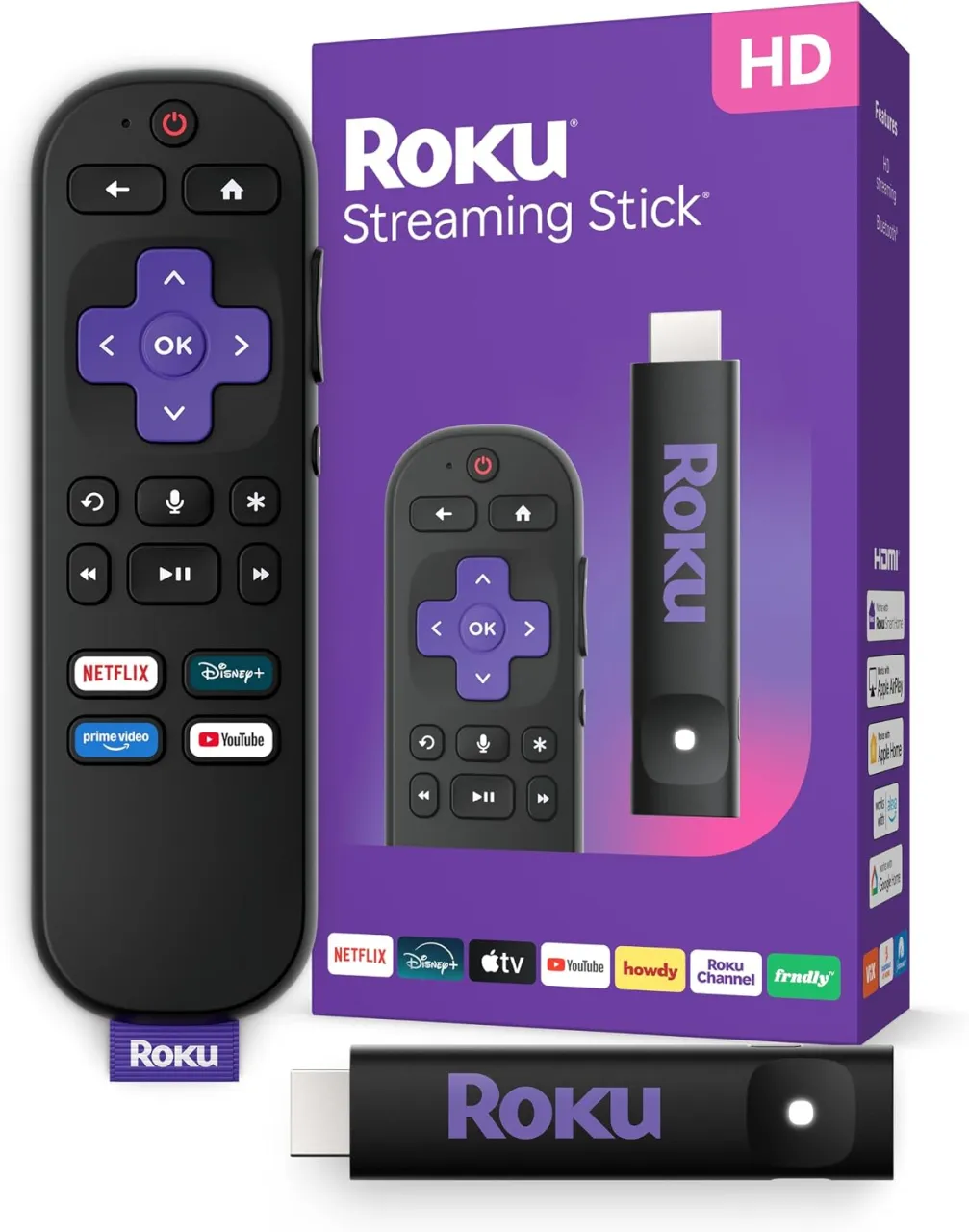
The Roku Streaming Stick is the entry point to the range and, for the large number of households still watching on an HD television, the smartest buy. The Roku Streaming Stick is a great 1080p streaming stick, and it's got a better remote than the Roku Express it replaces. It is positioned by CNN Underscored as the successor to the wedge-shaped Express line, and the Roku Streaming Stick and Streaming Stick Plus replace the Roku Express and Express 4K+, a pair of wedge-shaped streaming devices that never fit quite right.
What you get is the full Roku software experience, the same app catalog and search, in the cheapest possible package. Roku positions the current stick as a major speed step over older hardware; earlier generations were criticized for being slow, and the redesigned model is marketed around a quad-core processor and a slimmer body. If your TV is 1080p, paying more for a 4K device buys resolution and HDR formats your screen physically cannot display, which is exactly why this one leads on value. For the current price, check the listing on Amazon.
Pros
- Lowest-cost entry to the full Roku platform and app library
- Improved remote versus the Roku Express it replaces, per CNN Underscored
- Compact dongle that hides behind the TV
- Ideal match for HD (1080p) sets without wasted spend
Cons
- Not for you if you own a 4K TV: output is capped at 1080p, per CNN Underscored
- Not for home-theater buyers who want Dolby Vision or Atmos
- Fewer premium extras than the pricier models
#2 Roku Streaming Stick Plus
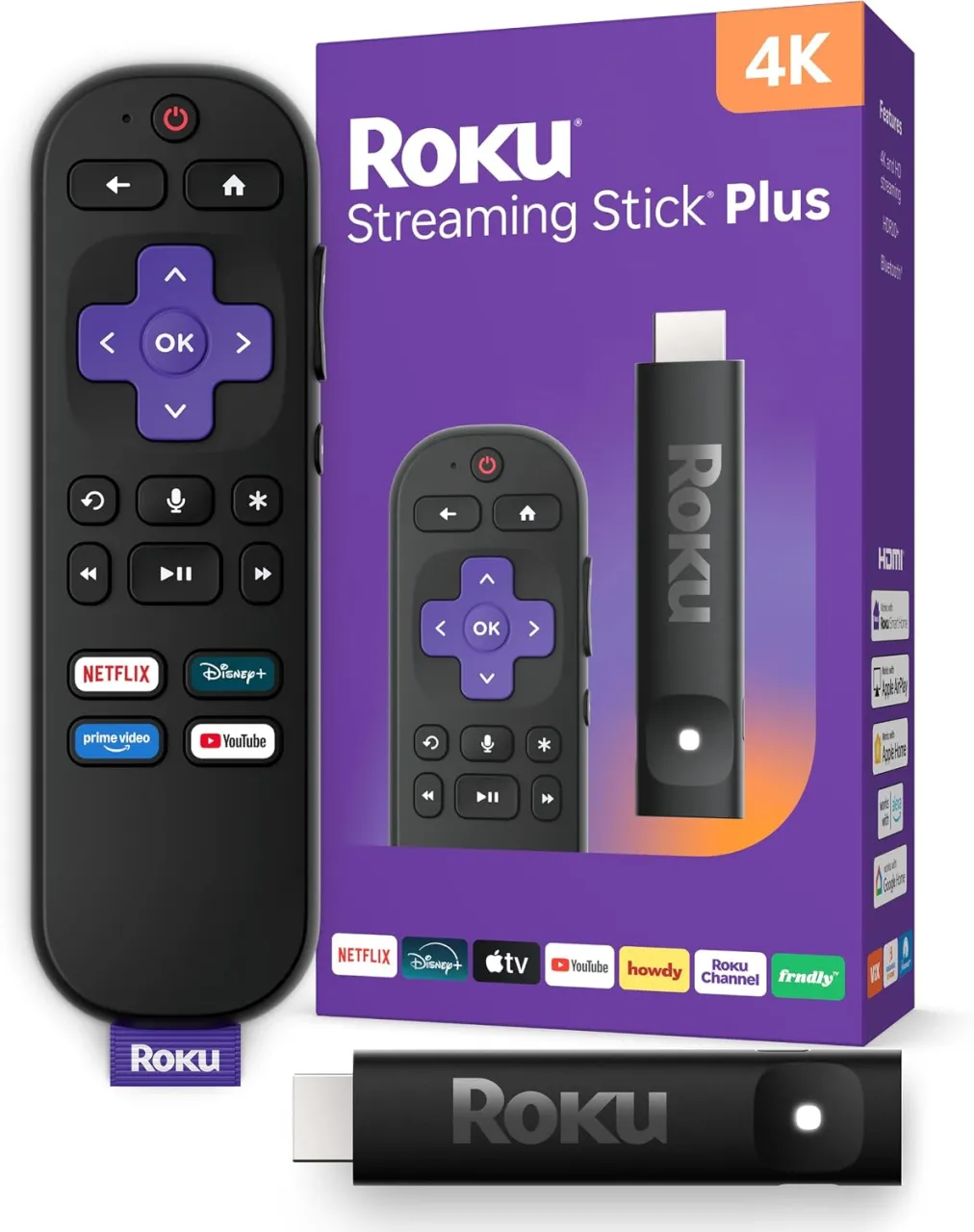
The Streaming Stick Plus is the model to consider when you have a 4K TV but do not want to pay flagship money. The Roku Streaming Stick Plus comes in as one of the smallest 4K/60fps streaming sticks in the market. It foregoes Dolby Vision and Dolby Atmos but builds upon the Roku interface with HDR10 and HDR10+ support. Tom's Guide lists its supported video as HDR10, HDR10+ and HLG, powered over USB-C. TechRadar frames its trade-off clearly: it can stream in 4K with HDR10+, HDR10, and HLG high dynamic range, but it does not support Dolby Vision. On the smart home front, it supports Roku Smart Home, Apple HomeKit, Alexa, and Google Home.
Portability is a genuine selling point here. Cord Cutters News reports that the Streaming Stick Plus 2025 is over 35% smaller than competing streaming sticks, such as Amazon's Fire TV Stick lineup, and its compact, dongle-style design plugs directly into your TV's HDMI port and stays discreetly out of sight. Reviewers do note the interface can show a little lag on this hardware, and TechRadar observed that it is far from powerful, suffering from a little lag when navigating the Roku interface, but the redesigned stick is cheap and efficient enough to be powered by a TV's USB port. For the current price, check the listing on Amazon.
Pros
- 4K with HDR10 and HDR10+ at a budget price, per Tom's Guide
- Among the smallest 4K sticks available, great for travel
- Can be powered from the TV's USB port, per Cord Cutters News
- Full Roku app support and smart-home compatibility
Cons
- Not for cinephiles: no Dolby Vision and no Dolby Atmos, per TechRadar and Tom's Guide
- Not ideal if you dislike battery remotes; the bundled remote uses AAA batteries, per Tom's Guide
- Reviewers report some interface lag versus pricier models
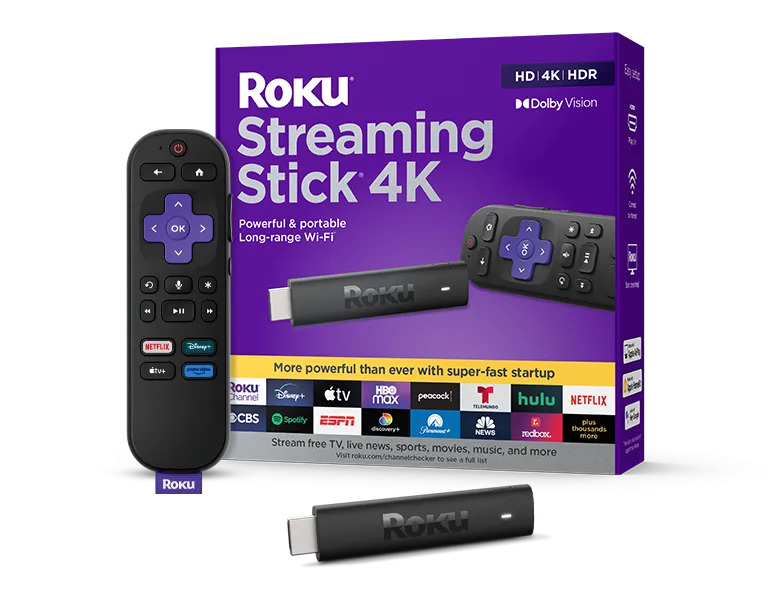
#3 Roku Streaming Stick 4K
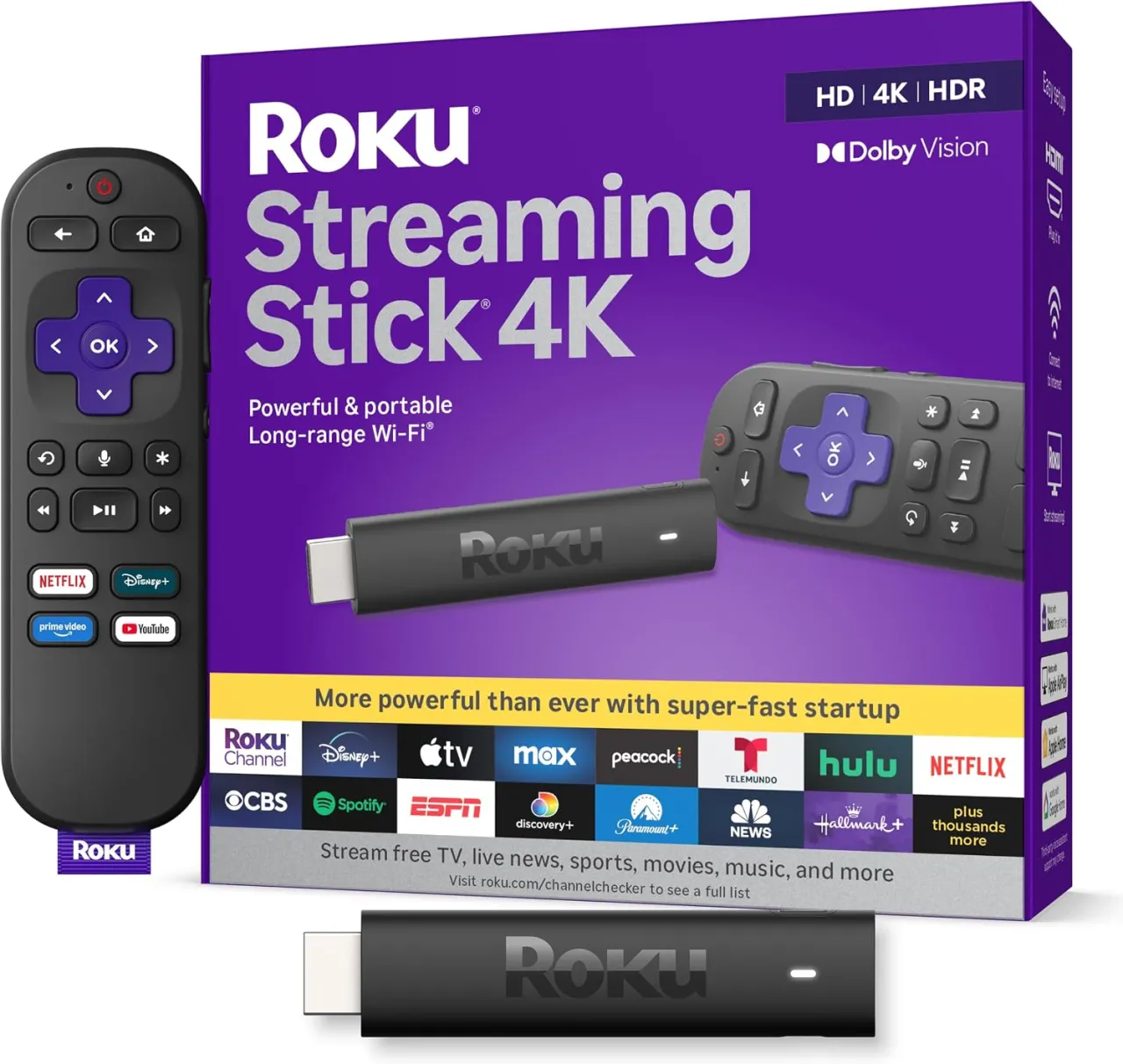
The Streaming Stick 4K is the sweet spot for most 4K owners because it adds the one format the Plus leaves out. Tom's Guide's verdict is that the Roku Streaming Stick 4K is just as great as its predecessor, and offers one big perk over the Roku it replaces: Dolby Vision. Android Police reports that with support for 4K displays up to 60fps, as well as Dolby Vision, HDR10/10+, and HLG up to 60fps, images were vibrant and smooth. Under the hood, Android Police notes it carries 1GB of RAM and 4GB of storage, allowing ample space to download all your favorite apps.
On performance, the reviewer describes a snappy experience attributed to a faster chip: the Streaming Stick 4K's overall performance was also quite impressive. Roku bumped the processing speed up for this model, and it shows. Apps were quick to launch and there wasn't any noticeable lag. Consumer Reports adds that on the audio side this player will output multichannel digital audio and this player will output multichannel digital audio. Also, supports Dolby Atmos. Where it falls short of a full home-theater box is networking and gaming, and Android Police points out it lacks some of the premium capabilities of its competitors, namely when it comes to gaming. For the current price, check the listing on Amazon.
Pros
- Dolby Vision plus HDR10/HDR10+ and HLG up to 60fps, per Android Police
- Faster processor than the entry sticks, per Android Police
- Voice remote that can enter passwords and PINs by voice, per Tom's Guide
- Same simple, well-organized Roku interface and strong search
Cons
- Not for gamers: limited game options versus Apple and Amazon devices, per Android Police
- Not for wired-networking households: no Ethernet port on the stick
- Uses Wi-Fi 5, not the newer Wi-Fi 6 found on the Ultra, per Consumer Reports
#4 Roku Ultra
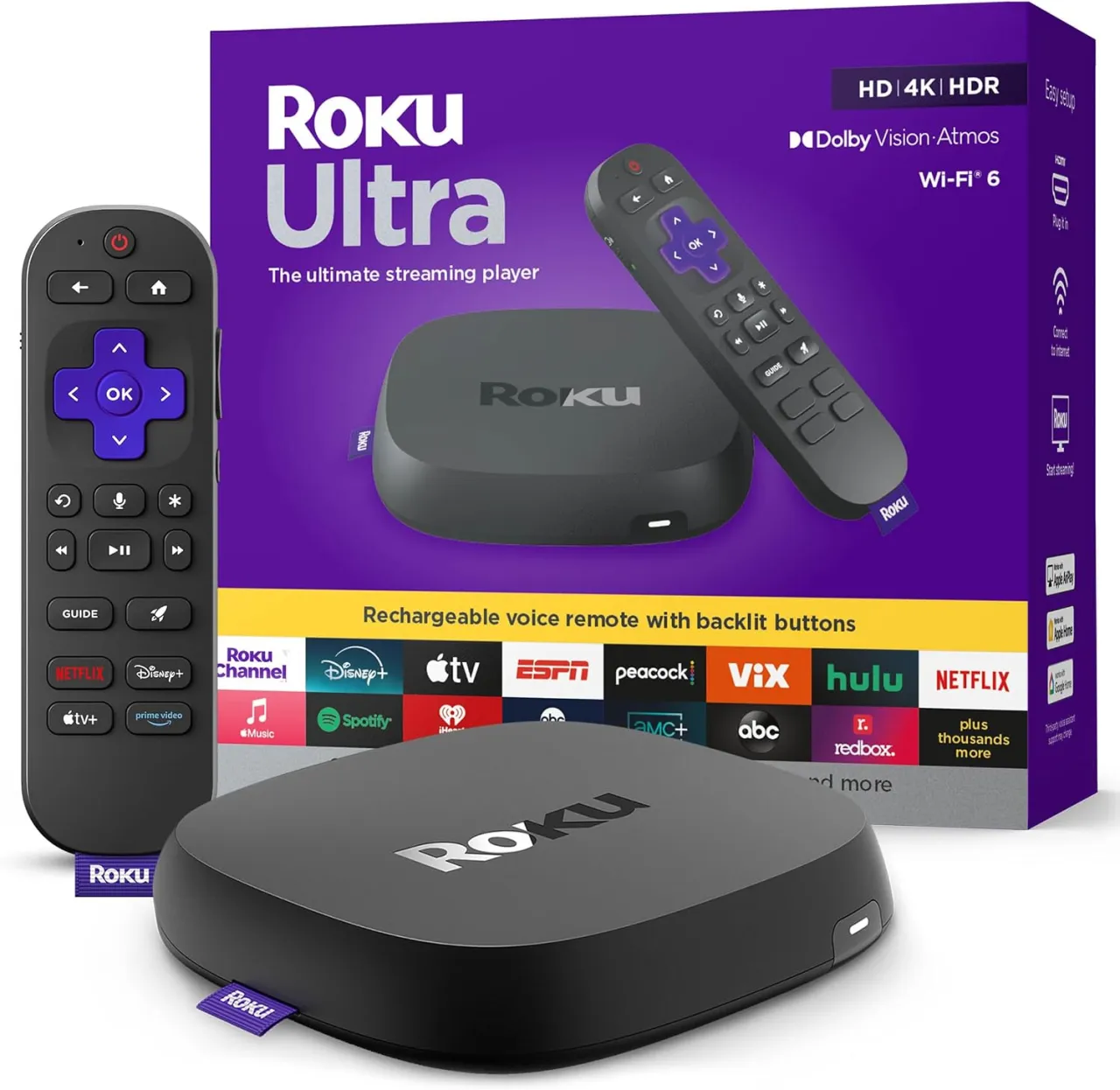
The Roku Ultra (2024) is the flagship, built for viewers with a capable 4K TV and a real audio setup. Sound & Vision summarizes its format support: Video: 4K HDR Dolby Vision @ 60fps, HDR10/10+, and HLG, HDMI input with HDCP 2.2; Audio: Dolby Atmos decode via HDMI; Networking: WiFi 6, 802.11 ax dual-band MIMO, 10/100 Base-T Ethernet; Ports: USB 3.0, HDMI 2.1b, Ethernet. That Ethernet port and Wi-Fi 6 are the practical differences over the sticks: Roku positions it for households that need reliable networking: built-in Wi-Fi 6 for fast, seamless streaming across the home, plus Ethernet for wired stability when you want it.
The remote is the other clear upgrade. Sound & Vision describes a backlit hands-free voice remote control with mute switch, and improved Roku OS14 to make accessing content you want to watch easier. Roku markets the Ultra as its fastest player, claiming it is 30% faster than any other Roku player, delivering a lightning-fast interface and apps that launch in a snap. Note that reviewers flag two caveats: Sound & Vision lists as minuses that there is no headphone jack on remote, the shortcut button can't be programmed for specific apps, and search results favor Roku Channel offerings. Treat the "30% faster" and speed figures as manufacturer claims rather than independently verified numbers. For the current price, check the listing on Amazon.
Pros
- Full format stack: 4K Dolby Vision, HDR10+ and Dolby Atmos, per Sound & Vision
- Wi-Fi 6 plus an Ethernet port for wired stability, per Sound & Vision
- Rechargeable, backlit, hands-free Voice Remote Pro with lost-remote finder
- USB 3.0 and HDMI 2.1b ports for local playback and modern connections
Cons
- Not for budget buyers: it is the most expensive model in the lineup, per TechRadar
- Not for tuck-away setups: it is a box, not a hidden dongle, per TechRadar
- Search results favor Roku Channel content, per Sound & Vision
How to choose a Roku device
The decision is mostly a chain of three questions. Match the device to your screen first, then to your sound system, then to how you connect and control it.
- Resolution of your TV. If your set is 1080p, the Roku Streaming Stick is the logical pick; paying for 4K models gains you nothing your panel can show. If you own a 4K TV, step up to the Stick Plus, Stick 4K or Ultra.
- HDR and audio formats. The Stick Plus covers HDR10 and HDR10+ but skips Dolby Vision and Atmos, per TechRadar and Tom's Guide. If you want Dolby Vision, the Stick 4K is the cheapest route, per Tom's Guide. For Dolby Atmos plus Dolby Vision together on a home-theater rig, the Ultra is the model designed for it, per Sound & Vision.
- Networking. Only the Ultra offers a wired Ethernet port and Wi-Fi 6, per Sound & Vision, which matters if your Wi-Fi is congested or your streaming room is far from the router. The sticks rely on Wi-Fi alone.
- Remote and convenience. The Ultra bundles the rechargeable, backlit, hands-free Voice Remote Pro, while the sticks use a simpler remote, some requiring AAA batteries, per Tom's Guide. If a rechargeable remote and a lost-remote finder matter to you, that is an Ultra feature.
- Form factor and portability. The sticks hide behind the TV and can draw power from a USB port, which makes them travel-friendly; the Ultra is a set-top box that sits on a shelf.
In short: buy the Streaming Stick for an HD TV, the Stick Plus for affordable 4K HDR, the Stick 4K when Dolby Vision matters, and the Ultra when you want every format plus wired networking and the best remote.
FAQ
Which Roku device is best for a 4K TV?
For most 4K owners, the Roku Streaming Stick 4K hits the sweet spot because it adds Dolby Vision on top of HDR10 and HDR10+, according to Tom's Guide. If you want the widest format support including Dolby Atmos plus wired Ethernet, the Roku Ultra is the step-up option, per Sound & Vision.
What is the difference between the Streaming Stick Plus and the Streaming Stick 4K?
Both stream 4K, but the Stick Plus does not support Dolby Vision, streaming instead in HDR10 and HDR10+, according to TechRadar and Tom's Guide. The Streaming Stick 4K adds Dolby Vision support, which is the main reason to choose it, per Tom's Guide.
Do any of these Roku devices support Dolby Atmos?
Consumer Reports notes the Streaming Stick 4K supports Dolby Atmos, and Sound & Vision confirms the Roku Ultra decodes Dolby Atmos via HDMI. The Streaming Stick Plus does not support Dolby Atmos, per TechRadar and Tom's Guide.
Is the Roku Streaming Stick enough if I don't have a 4K TV?
Yes. CNN Underscored describes the Roku Streaming Stick as a strong 1080p device with a better remote than the Express it replaces. On an HD TV, a 4K model would not display extra resolution, so the standard stick is the value choice.
Does the Roku Ultra have an Ethernet port?
Yes. Sound & Vision lists a 10/100 Ethernet port along with Wi-Fi 6 on the Roku Ultra (2024), which is the model to choose if you prefer a wired connection for stability.