Best Amazon Firestick in 2026: 5 Fire TV Devices Compared
As an Amazon Associate we earn from qualifying purchases.
If you searched "Amazon Firestick," you are almost certainly staring at five near-identical black dongles and one small cube, wondering which one you actually need. The honest answer is that the right pick depends on three things: the resolution of your TV, how fast you want the menus to feel, and whether you care about extras like hands-free Alexa or a stronger Wi-Fi radio. This roundup breaks down the current Fire TV lineup, so you can match a device to your setup instead of overpaying for specs you will never use.
To build this comparison we cross-referenced Amazon's own Fire TV device specifications with independent breakdowns from AFTVnews, Liliputing, Best Buy's product listings, NAS Compares and Android Authority. Where a source confirmed a hard spec (like Wi-Fi standard or storage), we cite it; where the marketing gets vague, we keep the language qualitative rather than inventing numbers. Every device below also gets a real "who it is NOT for" so you do not buy up or down by mistake.
Key facts
- The Fire TV Stick HD is the entry model built around Full HD (1080p) playback, making it the natural pick for standard HDTVs rather than 4K sets.
- The Fire TV Stick 4K Select is Amazon's budget path into 4K and, according to AFTVnews and other listings, runs Amazon's newer VegaOS software rather than the traditional Android-based Fire OS.
- The Fire TV Stick 4K Plus is listed by Best Buy with Wi-Fi 6, 8 GB of storage and Amazon's AI-powered Fire TV Search.
- The Fire TV Stick 4K Max sits at the top of the stick range and is positioned as the fastest stick, with the most advanced Wi-Fi radio in the dongle lineup.
- The Fire TV Cube (3rd Gen) is the most powerful Fire TV device, and per NAS Compares it adds Wi-Fi 6E plus an HDMI input in addition to output.
- Only the Fire TV Cube offers built-in far-field microphones and a speaker for fully hands-free Alexa without holding the remote.
| # | Product | Best for | Rating | Price |
|---|---|---|---|---|
| 1 | Fire TV Stick HD | Best overall value for HD TVs | ★★★★½ | Check price |
| 2 | Fire TV Stick 4K Select | Best budget entry into 4K | ★★★★ | Check price |
| 3 | Fire TV Stick 4K Plus | Best balanced 4K stick | ★★★★½ | Check price |
| 4 | Fire TV Stick 4K Max | Best premium stick | ★★★★½ | Check price |
| 5 | Fire TV Cube | Most powerful, hands-free | ★★★★½ | Check price |
#1 Fire TV Stick HD
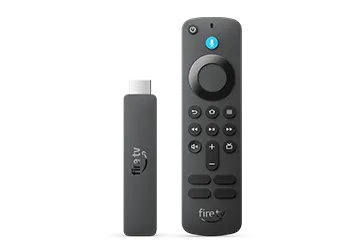
The Fire TV Stick HD is the model most people are actually looking for when they type "Firestick." AFTVnews documents a refreshed 2024 version, and Amazon positions it as the entry point to the Fire TV platform, built around Full HD (1080p) streaming with HDR support and an included Alexa Voice Remote. It plugs into an HDMI port, pulls power over USB, and gives you the full Fire TV app catalog plus voice search.
We rank it first not because it is the most powerful, but because it is the best value for the largest number of buyers. If your television is a standard 1080p HDTV, a pricier 4K stick sends a resolution your panel cannot display, so the HD model matches the hardware you already own. It is not for you if you have a 4K TV and want the sharpest possible image, or if you want the snappiest menu navigation in the family, since Amazon reserves its faster processors and stronger Wi-Fi for the higher tiers. For price, check the current listing on Amazon.
Pros
- Lowest-cost way into the full Fire TV app ecosystem
- Full HD (1080p) with HDR is a sensible match for standard HDTVs
- Alexa Voice Remote included for voice search and TV controls
- Compact HDMI form factor, easy to move between TVs
Cons
- Not for 4K TV owners who want maximum resolution
- Not for anyone who wants the fastest interface, which lives in the 4K Max and Cube
- Uses an older Wi-Fi standard than the premium models, per Amazon's spec sheet
#2 Fire TV Stick 4K Select
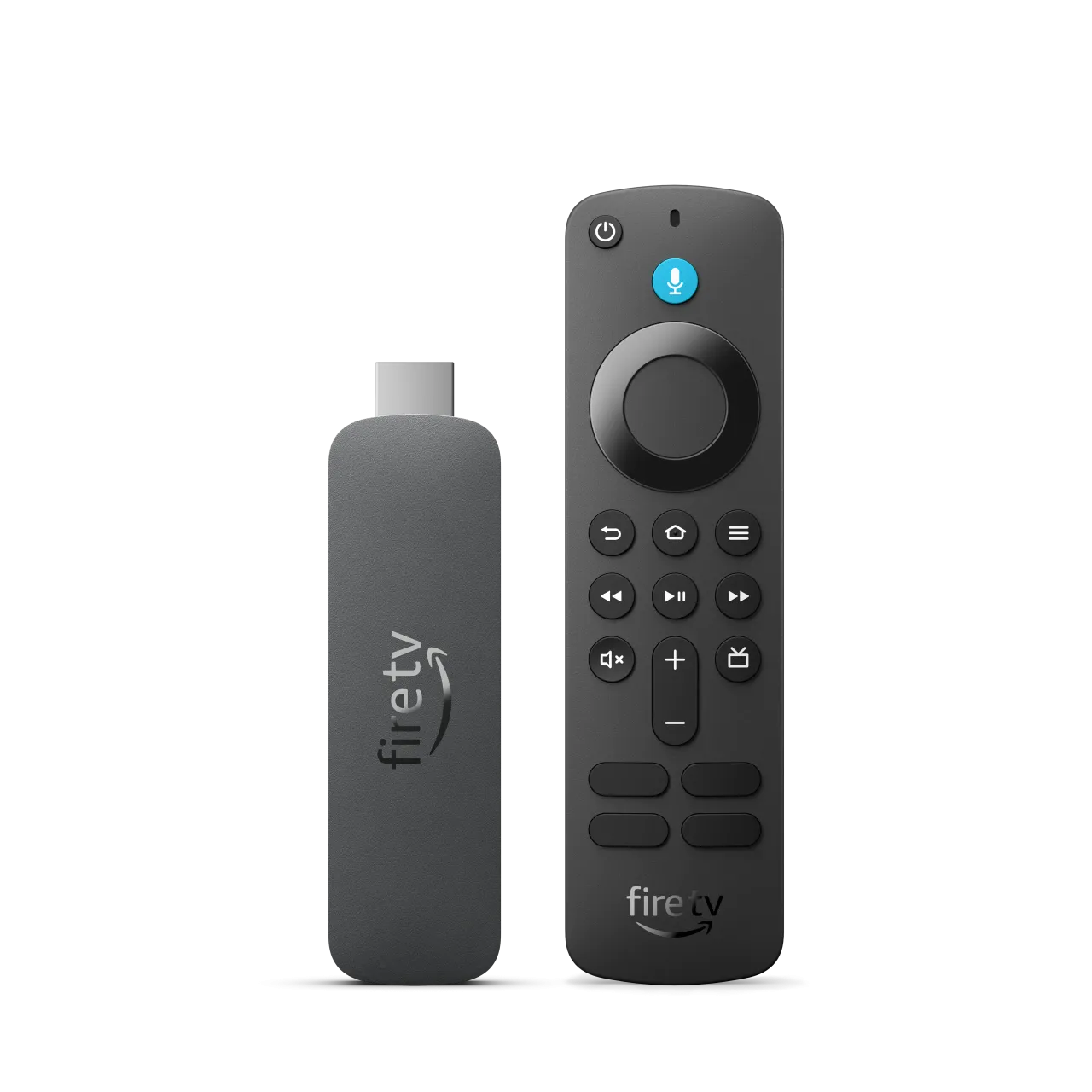
The Fire TV Stick 4K Select is Amazon's cheapest route to 4K, and it is also the most notable software change in the range. According to AFTVnews and additional product write-ups, the 4K Select ships with Amazon's newer VegaOS rather than the traditional Android-based Fire OS. Amazon markets it as delivering 4K Ultra HD with HDR, so the picture ceiling is higher than the standard HD stick while keeping the entry-level pricing tier.
This is the model to consider if you have a 4K TV but want to spend as little as possible to feed it 4K content. Because it uses VegaOS, buyers who rely on very specific third-party or sideloaded apps should verify compatibility first, since the app situation on the newer OS can differ from the older Fire OS sticks. It is also not the pick if you want the fastest processor or the strongest Wi-Fi, which Amazon steers toward the Plus and Max. Prices shift often, so check the current price on Amazon before deciding between this and the Plus.
Pros
- Least expensive way to get 4K Ultra HD on a Fire TV device
- HDR support for compatible content, per Amazon's marketing
- Runs Amazon's newer VegaOS software platform
- Same familiar remote-and-voice experience
Cons
- Not for people who depend on niche or sideloaded apps until they confirm VegaOS support
- Not for buyers who want the quickest menus, which the Max handles better
- Positioned below the Plus on Wi-Fi and storage
#3 Fire TV Stick 4K Plus
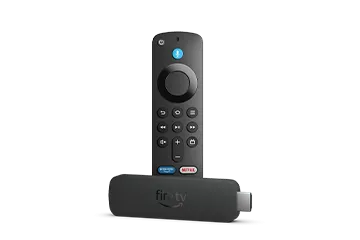
The Fire TV Stick 4K Plus is the sweet-spot 4K stick for most people who have a 4K TV. Best Buy's listing for the current model specifies Wi-Fi 6, 8 GB of storage, and Amazon's AI-powered Fire TV Search, which the company presents as a smarter way to find something to watch across apps. It targets 4K Ultra HD playback with support for the major HDR formats Amazon advertises across its 4K tier.
Think of the Plus as the model that fixes the two most common complaints about cheaper sticks: it carries more storage than the entry tiers, so you have room for more apps, and Wi-Fi 6 gives it a more modern wireless radio for busy home networks. It is not the right buy if you only own a 1080p TV, where the HD stick makes more financial sense, and it is not the top choice for someone who specifically wants the fastest stick or the Ambient features Amazon reserves for the Max. For the latest price, check the current listing on Amazon.
Pros
- Wi-Fi 6 and 8 GB of storage, per Best Buy's spec listing
- 4K Ultra HD with HDR support in Amazon's marketing
- AI-powered Fire TV Search for cross-app discovery
- A strong middle ground between the 4K Select and 4K Max
Cons
- Not for owners of 1080p TVs who would not use the 4K output
- Not the fastest stick if raw speed is the priority
- Lacks the top-tier Wi-Fi radio found on the Max and Cube
#4 Fire TV Stick 4K Max
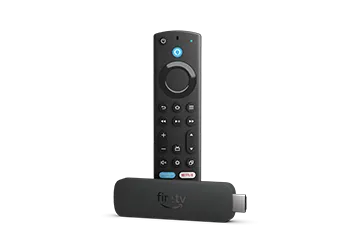
The Fire TV Stick 4K Max sits at the top of the dongle range. AFTVnews and retailer spec sheets position it as the fastest and most capable stick, pairing 4K Ultra HD output with Amazon's most advanced Wi-Fi radio in the stick lineup and more onboard storage than the lower tiers. Amazon also promotes its Ambient Experience, which can turn the TV into a display for artwork, photos and widgets when you are not actively streaming.
This is the stick to choose if you want the closest thing to Cube-level responsiveness without stepping up to the Cube's price and footprint, or if a crowded, congested home network makes wireless performance a real concern. It is not for buyers on a tight budget, since the HD or 4K Select cover the basics for less, and it is not necessary if you never plan to use the Ambient display or the extra storage headroom. Because pricing changes frequently, check the current price on Amazon.
Pros
- Positioned as the fastest stick in the Fire TV range
- Most advanced Wi-Fi radio among the sticks, per spec listings
- More storage headroom than the entry and mid tiers
- Ambient Experience for standby art and widgets, per Amazon
Cons
- Not for tight budgets when the HD or 4K Select cover the essentials
- Not needed if you will never use Ambient or the extra storage
- Still a stick, so it lacks the Cube's hands-free speaker and HDMI input
#5 Fire TV Cube
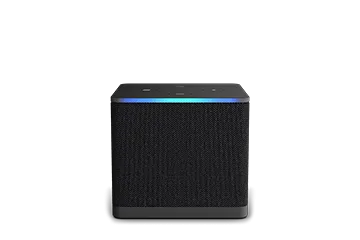
The Fire TV Cube (3rd Gen) is the flagship of the family and a different class of device from the sticks. NAS Compares highlights that it adds Wi-Fi 6E and an HDMI input alongside the standard HDMI output, and Android Authority frames it as the "one box" that consolidates streaming and smart-home control. Amazon positions the Cube as its most powerful Fire TV, with built-in far-field microphones and a speaker so you can talk to Alexa hands-free without picking up the remote.
The Cube is the right call if you want the quickest interface, the strongest wireless radio, and the ability to route another HDMI device through it, or if hands-free Alexa is central to how you use your living room. It is overkill for a simple secondary TV, and it costs and occupies more than any stick, so casual streamers are usually better served by the 4K Plus or 4K Max. It is also physically a small box rather than a hidden dongle, which matters if space behind the TV is tight. For the current price, check the listing on Amazon.
Pros
- Amazon's most powerful Fire TV device, per its own positioning
- Wi-Fi 6E and an HDMI input plus output, per NAS Compares
- Hands-free Alexa with built-in mics and speaker
- Described by Android Authority as an all-in-one streaming and smart-home hub
Cons
- Not for a simple secondary TV where a stick is plenty
- Largest footprint of the lineup, so it needs shelf space
- The priciest tier, which casual streamers may not need
How to choose a Fire TV device
The Fire TV range looks confusing, but three questions narrow it down fast. Start with your TV, then your network, then the extras.
- Match the resolution to your TV. If you own a standard 1080p HDTV, the Fire TV Stick HD is the logical match, because a 4K device cannot show more than your panel can display. If you own a 4K TV, step up to the 4K Select, 4K Plus, 4K Max or Cube.
- Weigh your Wi-Fi and speed needs. On a busy or congested home network, the newer wireless radios matter. Best Buy lists Wi-Fi 6 on the 4K Plus, the 4K Max is positioned with a stronger radio still, and NAS Compares confirms Wi-Fi 6E on the Fire TV Cube.
- Decide how much storage and speed you want. More storage means room for more apps; the 4K Plus is listed with 8 GB, and the Max and Cube sit above the entry tiers. If you want the snappiest navigation, the Max and Cube are the ones Amazon positions at the top.
- Consider the extras. Hands-free Alexa with a built-in speaker and an HDMI input are Cube-only features. Ambient Experience is promoted on the 4K Max. If none of those matter to you, a lower tier saves money.
- Check the software. The 4K Select is reported to run Amazon's newer VegaOS; if you rely on specific third-party apps, confirm compatibility before buying.
In short: buy the HD for a 1080p TV, the 4K Select or 4K Plus for a mainstream 4K TV, the 4K Max when you want the best stick, and the Cube when you want the most powerful, hands-free option. Whichever you choose, confirm the current price on Amazon before checkout.
FAQ
Do I need a 4K Fire TV Stick if I have a 1080p TV?
No. A 1080p TV cannot display 4K, so the Fire TV Stick HD is the sensible match for a standard HDTV. The 4K models make sense once you have a 4K television.
What is the difference between the 4K Select and the 4K Plus?
Both target 4K, but the 4K Plus is listed by Best Buy with Wi-Fi 6 and 8 GB of storage plus AI-powered Fire TV Search, positioning it above the more budget-focused 4K Select. The 4K Select is also reported to run Amazon's newer VegaOS software.
Is the Fire TV Cube worth it over the 4K Max?
It depends on your needs. The Cube is Amazon's most powerful Fire TV, and NAS Compares notes it adds Wi-Fi 6E and an HDMI input plus hands-free Alexa. If you do not need those extras, the 4K Max delivers a top-tier stick experience for less.
Which Fire TV device has the best Wi-Fi?
Among these models, the Fire TV Cube is listed with Wi-Fi 6E, the 4K Max is positioned with the strongest radio among the sticks, and the 4K Plus is listed with Wi-Fi 6, per Best Buy and NAS Compares.
Can I use a Fire TV Stick on any TV?
Any TV with a spare HDMI port and a nearby power source can use a Fire TV Stick. You still need a Wi-Fi connection and an Amazon account, and 4K playback requires a 4K TV to see the benefit.